
Build a job-ready resume. Free, with no watermark.
Every template is free, with live preview, themes, fit to one page and PDF, Word or text export. AI writing and job tailoring are a Pro extra.
templates, all free
14 are single-column and ATS-safe. The other 3 are two-column and labelled that way.
export formats
PDF, Word (.docx) and plain text. No watermark on any of them.
click to one page
Fit to one page tightens spacing, margins and font size only as far as it has to.
to build and export
AI bullets, the AI summary and Tailor to job are Pro. Nothing else is.
17 templates, every one free
These are real page-one renders from the builder, not mockups. Pick one and the builder opens on it. 14 are single-column and ATS-safe. The 3 two-column ones are marked, not hidden.
Showing all 17 templates
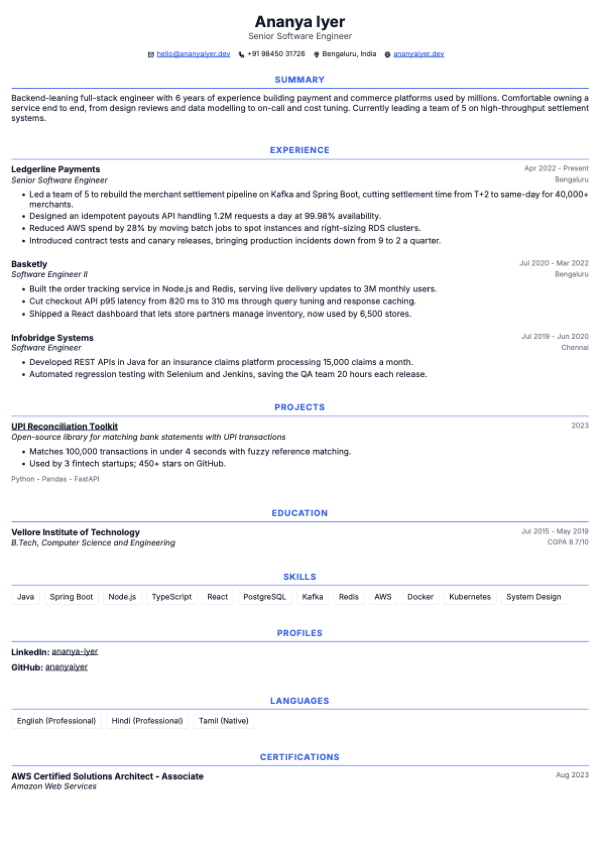
Aurora
Centered classic
ATS-safeUse template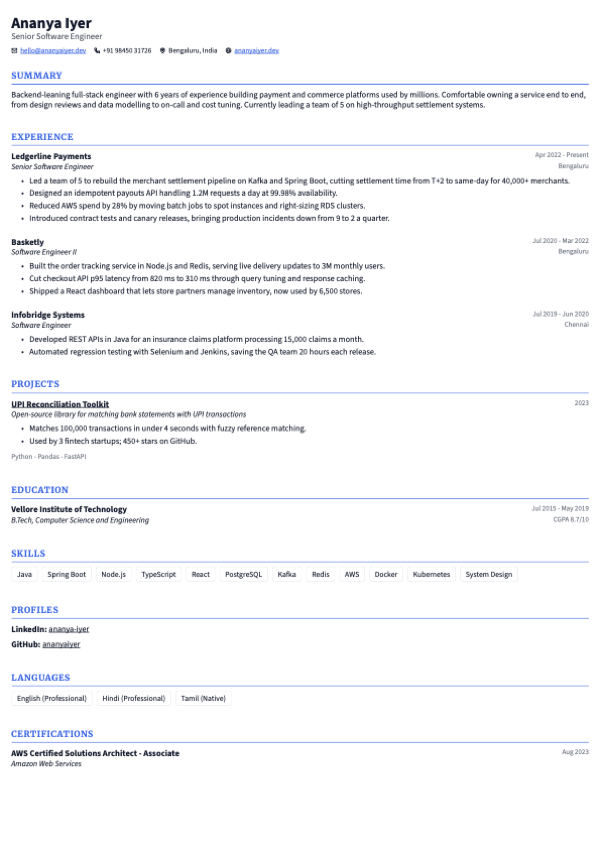
Sterling
Serif headings, refined
ATS-safeUse template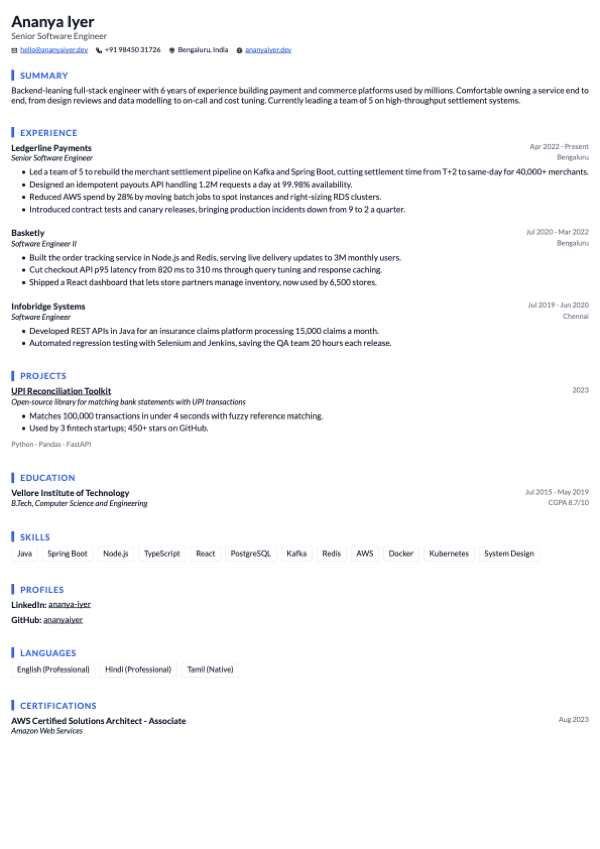
Atlas
Bold left accent bar
ATS-safeUse template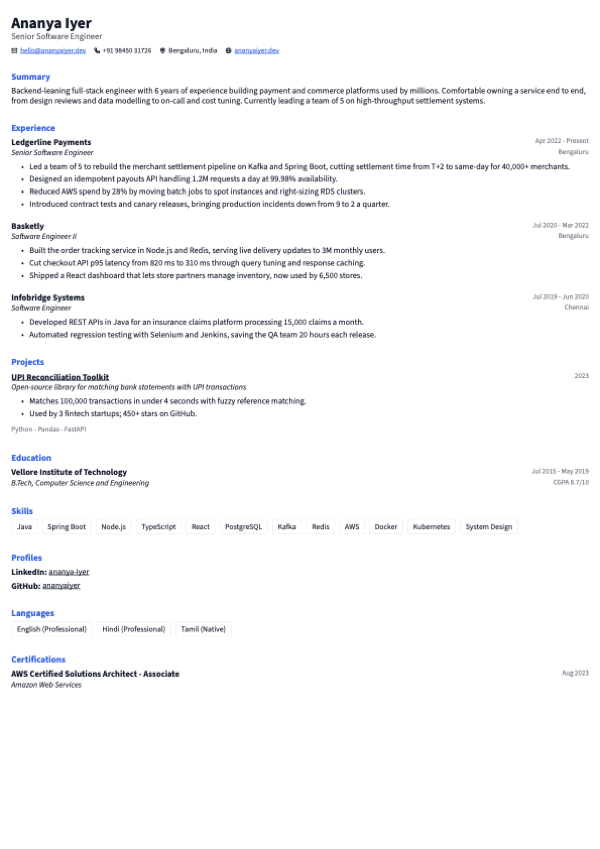
Ledger
Minimal, compact
ATS-safeUse template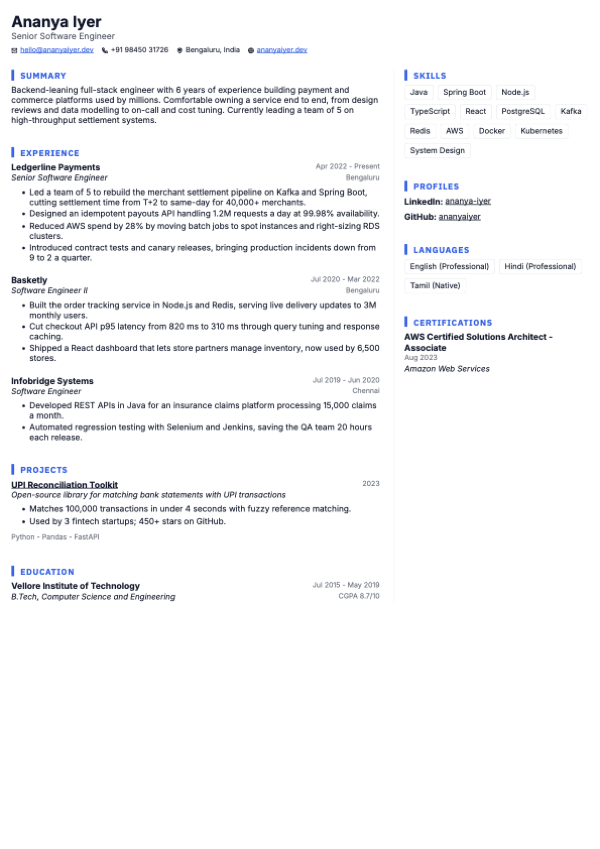
Vertex
Clean right sidebar
Two-columnUse template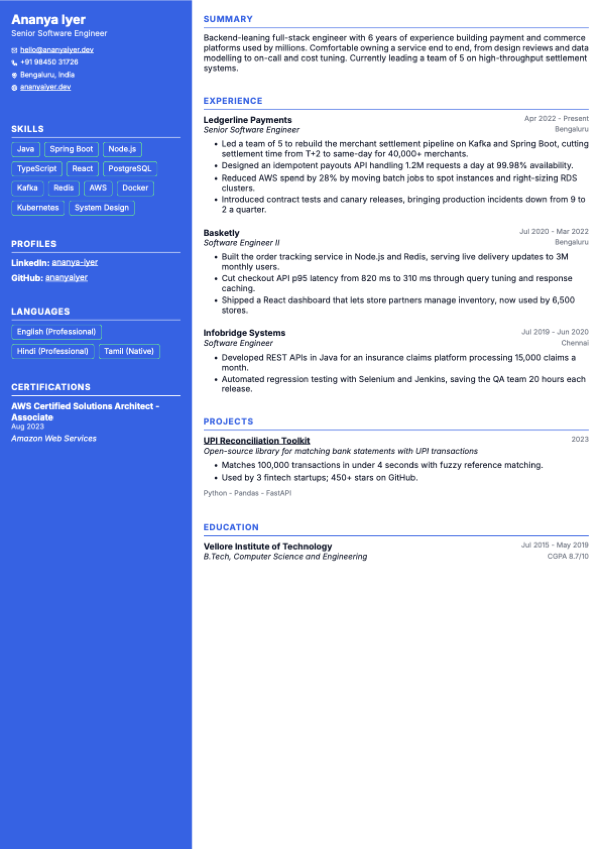
Slate
Dark left sidebar
Two-columnUse template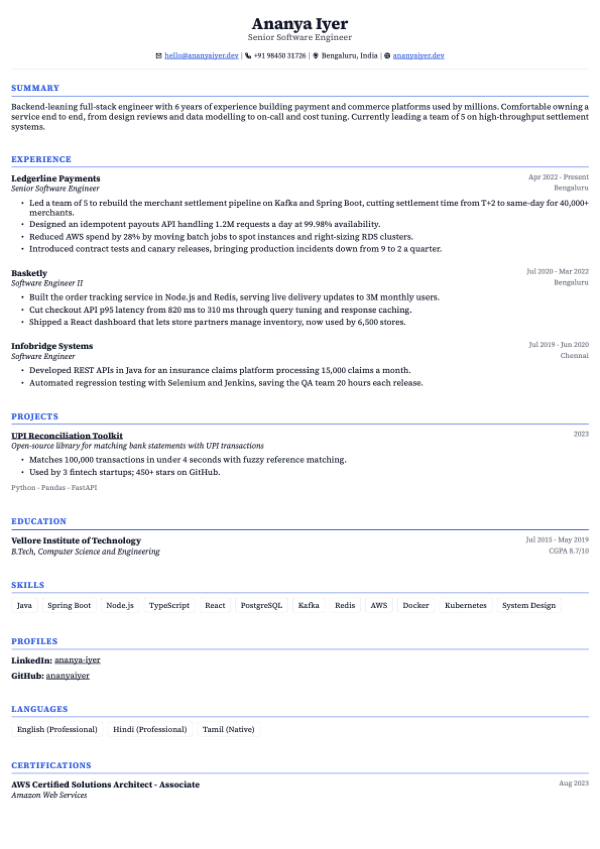
Canon
LaTeX-style serif classic
ATS-safeUse template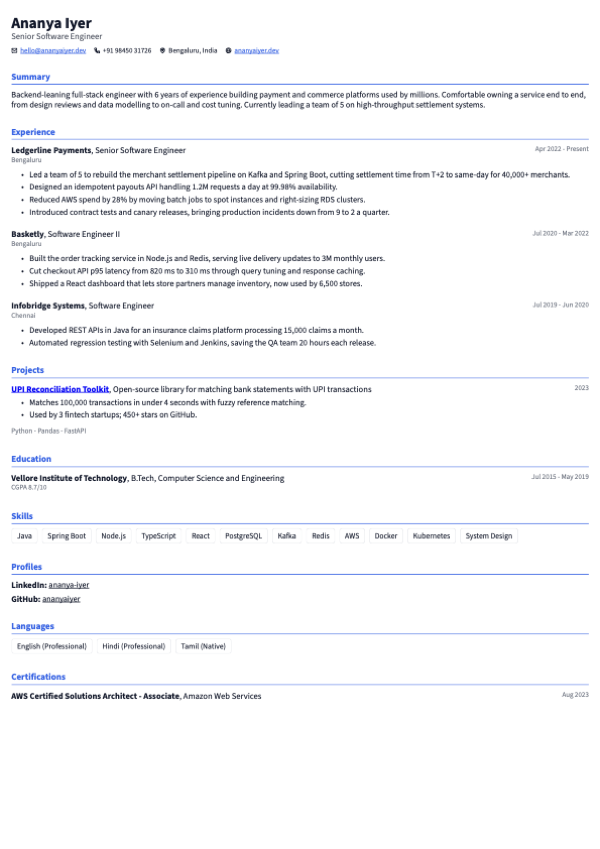
Docket
Dense inline dates
ATS-safeUse template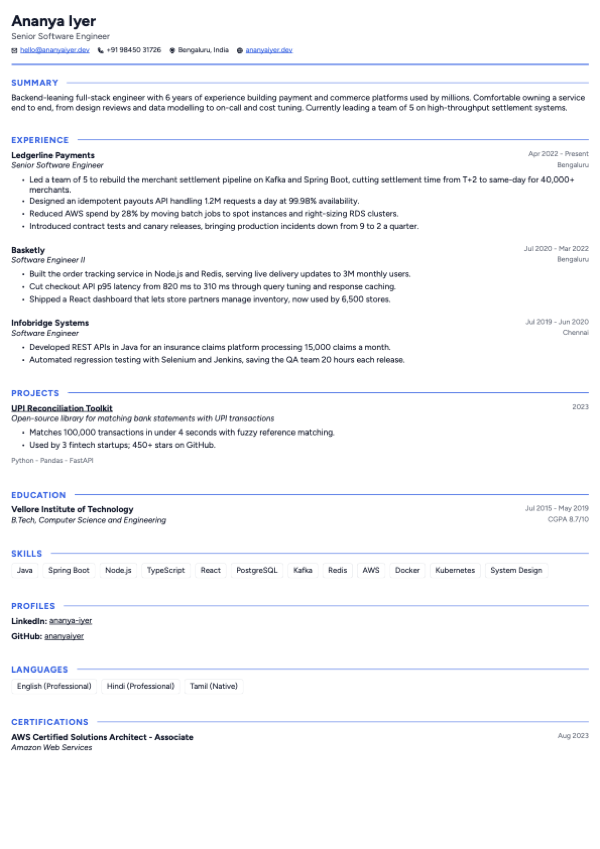
Clarion
Ruled header, clean
ATS-safeUse template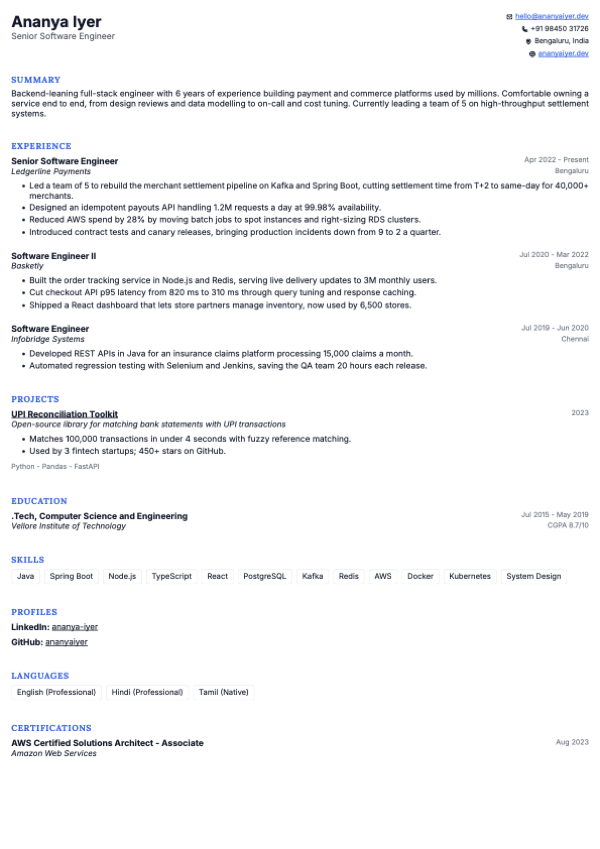
Fjord
Split header, serif
ATS-safeUse template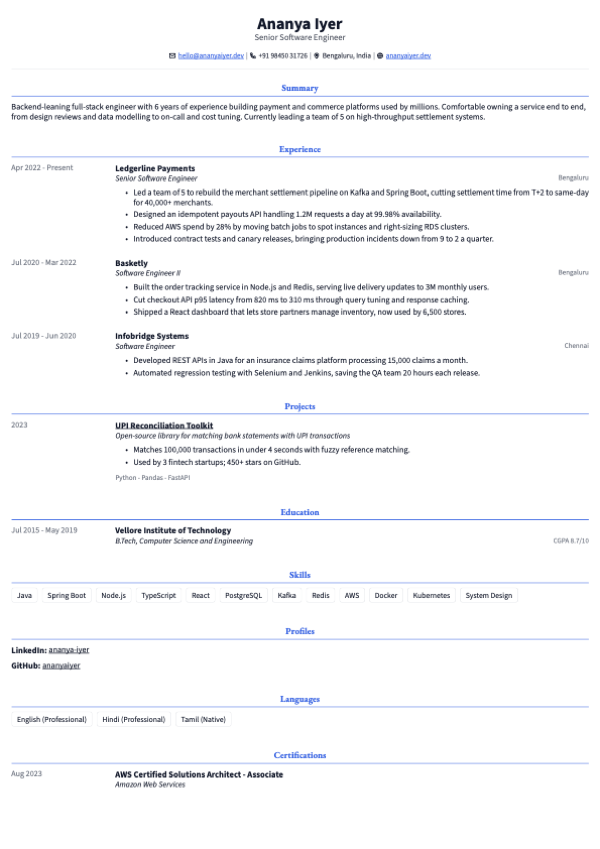
Regent
Refined executive serif
ATS-safeUse template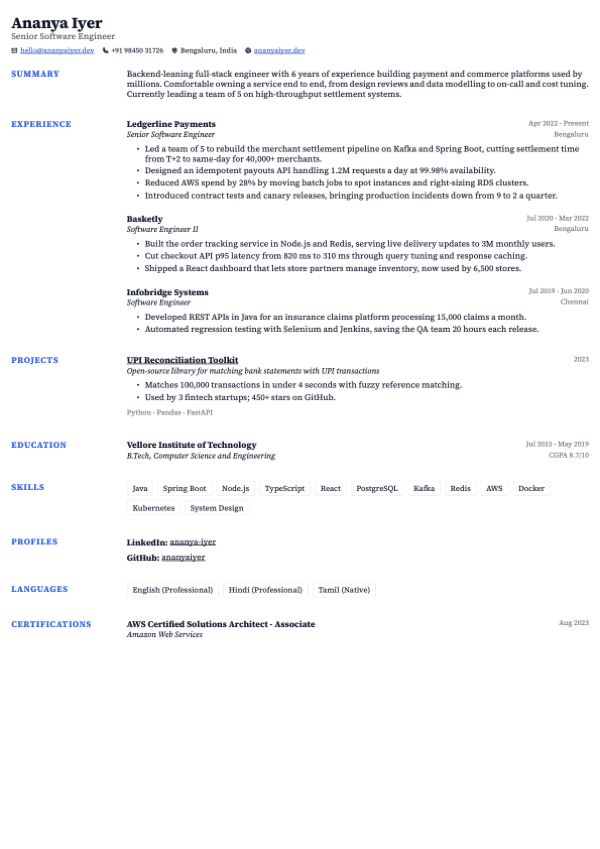
Tribune
Side headings, serif
ATS-safeUse template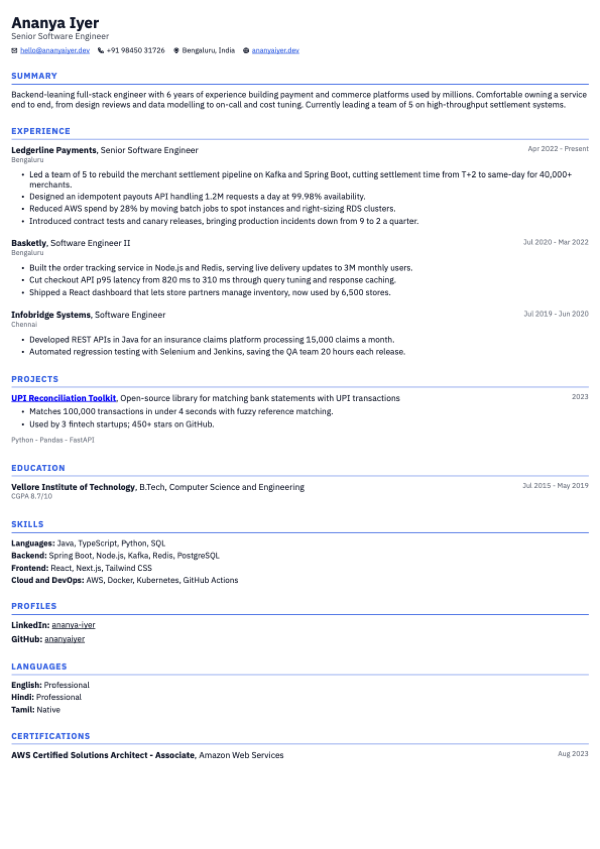
Kernel
Compact, grouped skills
ATS-safeUse template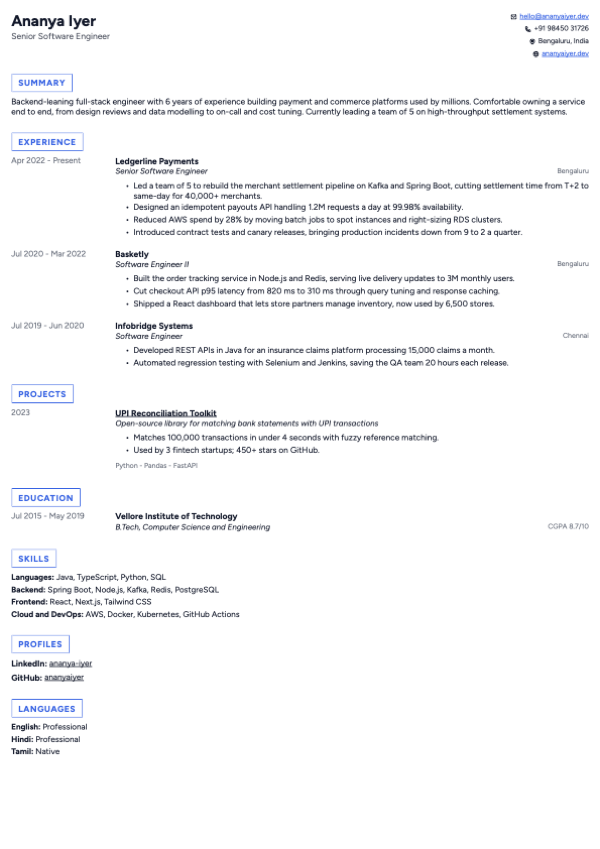
Vector
Compact boxed headings
ATS-safeUse template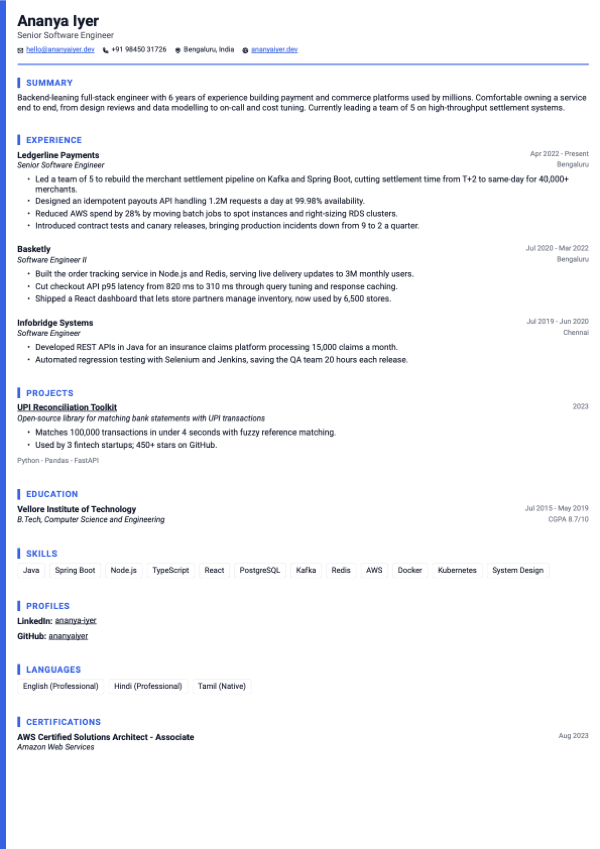
Keel
Ruled header, bars
ATS-safeUse template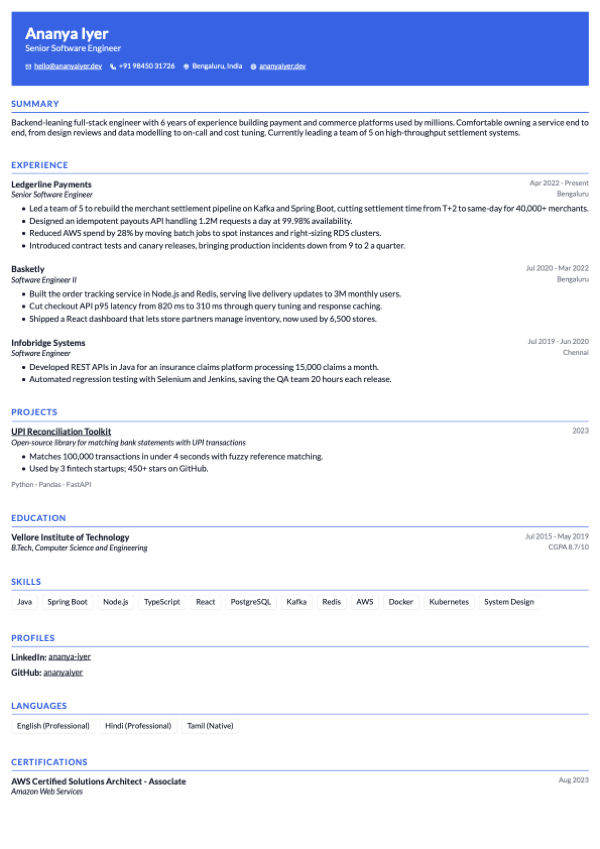
Summit
Colored banner header
ATS-safeUse template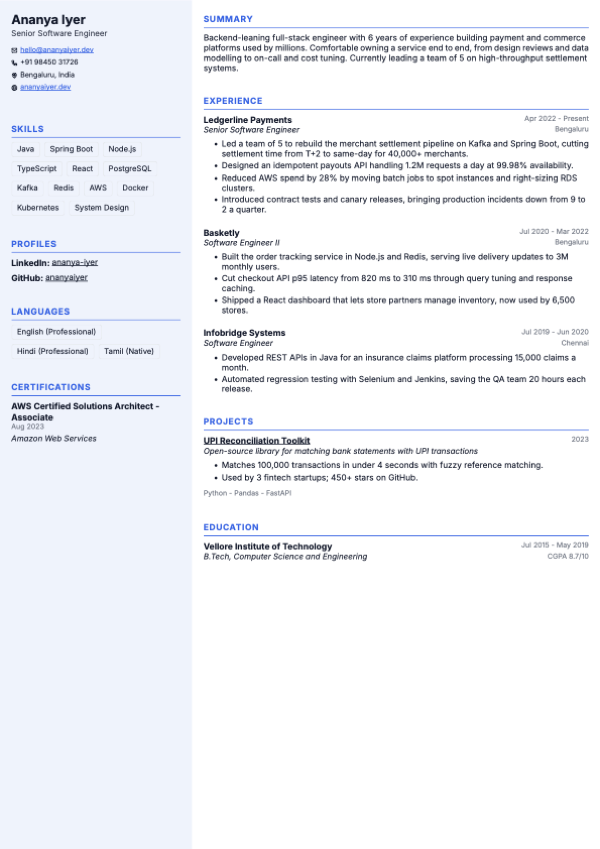
Harbor
Tinted left sidebar
Two-columnUse template
Applying through a job portal? Choose an ATS-safe template. Sending the file to a person? Any of them works, and you can switch later without losing a word you wrote.
Build my resume freeWhat happens to your resume, shown not described
Each of these is the real builder, in miniature. All but one are free. The AI bullets row is Pro and says so.
A text PDF a parser can read, line by line
Your name, headings and bullets export as real, selectable text in reading order, not a picture of text. On a single-column ATS-safe template a parser reads the page the way you wrote it. The two-column templates are labelled, so choosing one is your call.
PDF, Word and plain text, all free
Download a PDF for portals and email, a Word (.docx) file when a recruiter wants to edit it, or copy plain text for a form field. No watermark and no paywall on any of the three.
Fit to one page, without guessing
One button tightens spacing, line height, margins and font size by the smallest amount that gets the resume onto one page. It keeps a readable floor, so a resume that is still too long needs a cut, not a smaller font.
Themes that follow you across resumes
Pick an accent colour, font pairing and list style from the built-in themes, or tune your own and save the look. A saved theme applies to any of your resumes, and switching never touches your content.
AI bullets that leave [X] instead of inventing numbers
Describe the role and AI drafts achievement bullets. Where a result needs a figure it writes an [X] for you to fill with your real number, so the resume never claims something you did not do. This one uses Pro credits.
Import the resume you already have
Upload a PDF and it is parsed into editable sections: experience, education, skills and more. Importing uses AI, so free accounts have a small daily allowance. A blank template needs no AI.
Free, in writing. Checked, not assumed.
Three builders you are likely to compare us with. We checked each vendor's public pages (or an archived copy or search result where the live page did not load), and where a page says nothing the cell says Not stated. Not stated is never a No.
Checked on
| What you get | ApplyCove | Canva | Zety | Novoresume |
|---|---|---|---|---|
| Free PDF download | Yes | Yes | Paid plan only | Yes |
| Watermark on free download | No | On premium elements | Not stated | Not stated |
| ATS-friendly single-column templates | Yes, tested by us | Not stated | Vendor says ATS-friendly | Vendor says ATS-friendly |
| Word (.docx) export | Yes | Paid plan only | Paid plan only | Not stated |
| AI writing help | Pro credits | Yes | Yes | Yes |
| AI costs extra | Yes, Pro credits | Yes, past a free allowance | Not stated | Yes, advanced AI is Pro |
| Edit on a phone | Yes | Yes | Yes | Yes |
Our own column is not flattering everywhere: AI writing is Pro here, and we say so. Vendor claims are recorded as claims, we did not run their templates through a parser, and prices and free tiers change, so check the vendor before you decide.
Each cell spells out what its value means for that row. "Vendor says ATS-friendly" means we repeat the vendor's claim. "Tested by us" means our own pdf.js text-extraction test of our templates, not an independent audit, and the two-column study describes the method and its limits.
Want to see more builders? Best free resume builders in India compares eight with a section on each, and is a Canva resume ATS-friendly covers the one most people ask about.
Notes and sources behind each cell
ApplyCove
- Free PDF download: Yes. Free account, no card. All 17 templates, editing and themes are free. Source
- ATS-friendly single-column templates: Yes, tested by us. 14 of 17 templates are single-column and marked ATS-safe, tested by us (our own pdf.js text-extraction self-test, not an independent audit). Vertex, Slate and Harbor are labelled Two-column and not marked ATS-safe; the label follows the layout, and the self-test is what backs the claim for the 14 single-column templates. Source
- Word (.docx) export: Yes. Free, alongside PDF and plain text. Source
- AI writing help: Pro credits. AI bullets, AI summary and Tailor to job use Pro credits. AI bullets leave [X] placeholders instead of inventing numbers. Source
- AI costs extra: Yes, Pro credits. Pro credits. Everything else in the builder is free. Source
- Edit on a phone: Yes. The editor works on a phone screen. Source
Canva
- Free PDF download: Yes. The Free plan exports "PDF, JPG, PNG". Source
- Watermark on free download: On premium elements. "Premium elements will have watermarks on your design if you're a Canva Free user." Designs that use only free elements download without one. Source
- ATS-friendly single-column templates: Not stated. The template gallery advises avoiding "text boxes, tables, and images" and lists some templates titled ATS, but Canva does not say which templates are single-column or parser-tested. Source
- Word (.docx) export: Paid plan only. DOCX download is "For Canva Docs only". A design can become a Doc with Transform into Doc, which needs Pro, Teams, Education or Nonprofits. Source
- AI writing help: Yes. Magic Write. Source
- AI costs extra: Yes, past a free allowance. Free accounts get "Up to 20 uses of Standard AI tools, OR Premium AI tools" a month, shared. Paid plans use Magic Write without drawing on that allowance. Source
- Edit on a phone: Yes. iOS and Android apps. Source
Zety
- Free PDF download: Paid plan only. Free Basic Package downloads "TXT format only". PDF and Word come with the Pro package: 14-day trial US$1.95, then auto-renews at US$25.95 every 4 weeks. zety.com timed out to direct fetch on 2026-10-11; read from the Wayback copy dated 2026-09-22 and matched by live search results for the same page. Source
- Watermark on free download: Not stated. There is no free PDF to watermark; the free export is plain text. Source
- ATS-friendly single-column templates: Vendor says ATS-friendly. Zety says all its templates are designed to be ATS-friendly and describes single-column designs such as Diamond and Influx (self-described). It also offers two-column templates. Source
- Word (.docx) export: Paid plan only. Pro package only. zety.com timed out to direct fetch on 2026-10-11; read from the Wayback copy dated 2026-09-22 and matched by live search results for the same page. Source
- AI writing help: Yes. Marketed as a "Free AI Resume Builder". Read from live search results; direct fetch timed out. Source
- AI costs extra: Not stated. No AI usage limit is published. The finished resume still needs Pro for a PDF or Word download. Source
- Edit on a phone: Yes. Zety's own guide says to open the builder in a mobile browser; no app is named. Read from live search results. Source
Novoresume
- Free PDF download: Yes. Home page: "The free plan includes a professional template, AI content suggestions, and PDF download", and to the PDF FAQ, "Yes, on every plan." Basic is one page and 8 templates; "downloading a document with Premium features is not possible in the Basic account" (pricing page). Some older Novoresume pages say free exports are .txt; the live home page is used. Source
- Watermark on free download: Not stated. The Premium plan lists "No Watermark/Branding"; the Basic plan line does not say either way. Source
- ATS-friendly single-column templates: Vendor says ATS-friendly. Says its templates are "ATS-friendly" and "reviewed by real recruiters" (self-described). Column layout per template is not stated. Source
- Word (.docx) export: Not stated. Inferred from the pricing FAQ, "all the documents are saved as PDFs", that there is no Word export, but Novoresume does not say so directly. Source
- AI writing help: Yes. The free plan includes "AI content suggestions". Source
- AI costs extra: Yes, advanced AI is Pro. Pro "adds ... advanced AI features". Source
- Edit on a phone: Yes. "Optimized for mobiles and tablets", runs in a mobile browser; no app is named. Source
Tailor to the job. Then let ApplyCove apply.
Paste a job description and Pro scores your match from 0 to 100, flags the keywords you are missing, and rewrites your headline, summary and bullets for that role. Then ApplyCove can run supervised sessions on Naukri and LinkedIn.
Same bullet, rewritten for the role.
Tailor to job works from the posting you paste, so each application gets its own version.
Free No credits
The builder and live preview, all 17 templates, themes, fit to one page, the completeness score, and PDF, Word and plain-text export.
Pro Credits
AI bullets, the AI summary, and Tailor to job with its match score and missing keywords.
From blank page to applied in four steps
Pick a template
Start from any of the templates, or import your current PDF. Switching later never touches what you wrote.
Fill your sections
Add experience, education, skills, projects and more. The preview re-renders as you type and your draft saves itself.
Fix what the score flags
A live completeness score points at weak phrasing, missing dates and bullets with no numbers, with a link to the section to fix.
Download, then apply
Export a PDF, Word or text file. When you want volume, ApplyCove can run supervised sessions on Naukri and LinkedIn on a schedule.
What to put in the resume, before you build it
The builder handles layout and export. These cover the decisions it cannot make for you: which format, what goes at the top, how to handle the awkward parts, and how a parser reads the result.
- Comparison Best free resume builders in India Eight builders compared on what is free at the download button: PDF, Word, watermark, AI cost and phone editing, with sources and dates.
- ATS Is a Canva resume ATS-friendly? Partly. What breaks when a parser reads a Canva resume, a two-minute test before you upload, and how to fix one you want to keep.
- Study Are two-column resumes ATS-friendly? We ran 21 of our own templates through text extraction. What broke, what we fixed, and when two columns are fine.
- Guide Resume bullet points with numbers 40 fill-in bullets across ten kinds of role, the verb-what-number formula, and what to do when you have no numbers.
- Guide How long should a resume be? One page for freshers, two after about five years, and what to cut first. Plus whether an ATS cares about page count.
- Guide Photo on a resume in India Usually no for private-sector jobs. When a photo is expected, what it does to an ATS, and how to add one properly.
- Guide Action verbs for your resume Verbs grouped by role for Indian job seekers, with a swap table for weak openers like responsible for.
- Guide Skills section on a resume What to list, how many, where it goes, and grouped examples for eight Indian roles that parse cleanly.
- Guide Resume format for freshers Section order, one page, and what to lead with when education and projects are all you have.
- Guide Resume format for experienced professionals How the layout changes at 2-5, 5-10 and 10+ years, and what to cut as the experience grows.
- Guide Career objective for freshers Examples by branch and role, and when a career objective beats a summary.
- Guide Resume summary for freshers Three-line summaries that name the role, the skills and one proof point.
- Guide How to explain a career gap in your resume Exam prep, layoffs, health, caregiving: one honest line that stops the question before the interview.
- Guide Resume vs CV vs biodata What Indian employers actually mean by each, and which one to send.
- Guide How to make a resume on your phone The phone-only route that still parses cleanly, and when a bigger screen helps.
- Guide Resume with no experience What fills the page when there is no work history yet.
- Guide Fresher resume by branch CSE, ECE, mechanical, commerce and more: the skills and projects each one should show.
- ATS Make your resume ATS-friendly The writing-side checklist behind a clean parse: text-based PDF, dated roles, quantified bullets, single column.
- ATS ATS keywords list by job role Terms recruiters filter on across ten role families, taken from live Indian postings, plus how to cut the list to yours.
- ATS Can an ATS read a PDF? Real text versus scans and flattened exports, Word versus PDF, and a two-minute copy-paste test.
- ATS How to improve your ATS score Fix the file first, then dates, numbers, verbs and skills, in the order that moves the score most.
- Guide Tailor your resume to a job description Pull the keywords, place them where they count, and see a worked Data Analyst example from India.
- ATS How to pick a free ATS resume checker Six things to test first, and how to spot an email-capture form before you give your address.
- Free tool Free ATS resume checker Already have a resume? Upload the PDF and get an ATS score out of 100 plus a checklist of what to fix. No login, no card.
Frequently asked questions
Got questions? We've got answers. Contact us if you can't find what you're looking for.
Is the resume builder really free?
Yes. The builder, all 17 templates, editing, themes, and PDF, Word and plain-text export are free, with no watermark and no credit card. You create a free ApplyCove account so your drafts save and you can come back to them.
Three things run on Pro credits: AI bullets, the AI summary, and Tailor to job. You never need them to build and download a complete resume.
How many templates are there, and are they all ATS-safe?
There are 17 templates. 14 are single-column and marked ATS-safe in the gallery. The other 3 (Vertex, Slate, Harbor) are two-column, and the gallery labels them as such instead of hiding them.
If you are uploading to a job portal, start with an ATS-safe one. A two-column layout suits a resume you send straight to a person.
What is the difference between an ATS-safe and a two-column template?
A parser reads a page from top to bottom. A single-column template gives it one reading order, so your name, headings and bullets come out in the order you wrote them. A two-column template puts content side by side, and some parsers read across the columns and interleave the text.
The PDF text is real and selectable either way, so a two-column resume is fine for a recruiter who opens the file. It is the portals that are fussy.
Can I export my resume to Word?
Yes. Download a PDF, download a Word (.docx) file, or copy the resume as plain text. All three are free and carry no watermark.
Use PDF for most portals and email, Word when a recruiter wants an editable file, and plain text for a form field that takes pasted text.
What does Fit to one page do?
When your resume runs past one page, Fit to one page tightens spacing, line height, page margins and font size together, by the smallest amount that gets it onto one page. It will not go below 1.15 line height, 6 mm margins or 10 pt text.
If it still runs over at those limits, it offers to move short sections such as skills and education into a sidebar, with a preview first and nothing changed until you confirm. If that does not fit either, it lists what to trim.
What are themes?
A theme is a look: accent colour, font pairing and list style. Pick one of the built-in themes, or set your own colours and fonts and use Save current look to keep it. A saved theme can be applied to any of your resumes, and switching theme never changes what you wrote.
Which features are Pro?
AI bullets, the AI summary, and Tailor to job (the 0-100 match score against a job description, missing keywords, and a rewritten headline, summary and bullets) are Pro and run on credits. AI bullets leave an [X] placeholder where a result needs a number, so you fill in your real figure.
Everything else is free: the builder, every template, themes, fit to one page, the completeness score, and PDF, Word and text export.
Can I edit my resume on my phone?
Yes. The editor works on a phone screen, so you can edit and export from your phone. A laptop is easier for a long first draft, but nothing in the builder is locked to desktop.
Can I import my existing resume?
Yes. Upload your current resume as a PDF and ApplyCove parses it into editable sections: basics, experience, education, skills, projects and more. Then you pick a template and refine it.
Importing uses AI, so free accounts have a small daily allowance of imports. Starting from a blank template needs no AI at all.
Do I need to sign up to use it?
You create a free ApplyCove account so your resumes save automatically and you can edit them later. No payment is needed to build and export a resume. Your drafts, themes and customisations are stored to your account.
What is the completeness score?
A live 0-100 score that rates your resume on its own: missing dates, weak phrasing like responsible for, bullets with no numbers, too few skills. Each check links to the section to fix. It is free.
The match score against a specific job description is part of Tailor to job, which is Pro.
How does the resume builder connect to auto-apply?
The builder is the first step. Once your resume is ready, ApplyCove's main product can run supervised application sessions on Naukri and LinkedIn from its cloud, filling forms and answering screening questions while you watch. Build the resume free, then decide whether you want that.
Build the resume once.
Use it everywhere you apply.
Every template is free, with PDF, Word and text export, no watermark and no card. Tailoring and auto-apply are there when you want them.