
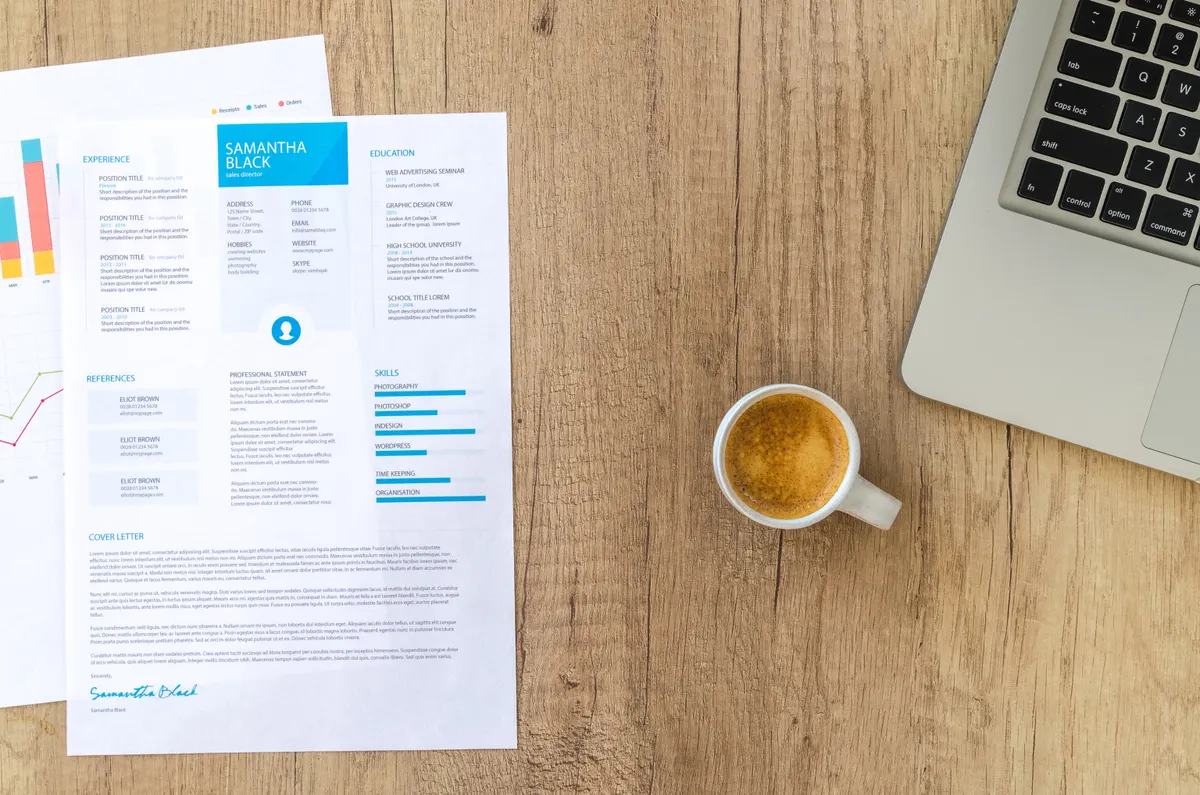
Is a Canva resume ATS-friendly? Partly. An applicant tracking system never knows a file came from Canva. It opens a PDF and reads the text inside, so the real question is whether your design survives being read as plain text.
If you are still choosing a tool, a free resume builder with single-column templates skips most of what follows. If you already have a Canva resume, keep reading. Most of them can be fixed in an evening.
An ATS never sees Canva, it sees a PDF
A parser does one job. It pulls text out of your file, guesses which part is your name, which part is a job and which part is a skill, and stores the result as a record a recruiter can search. Everything after your upload depends on that record.
So the file’s origin does not matter. Whether you made it in Canva, Word or a builder, the parser gets a PDF and asks one question: is there real text here, and does it come out in a sensible order? The longer version of that question, for every kind of file, is in can ATS read PDF.
Canva adds one setting that can break the first part. Its PDF download has a Flatten PDF option, and Canva’s help page for it says flattening converts the design into a static image. Its PDF accessibility page tells you to leave the box unchecked. I read both on 12 October 2026 through search results of Canva’s help pages, because the help site blocked direct fetches. For a resume that goes through a portal, leave it off.
What breaks when a parser reads a Canva resume
Canva’s resume template page advises avoiding “text boxes, tables, and images” on an ATS resume. It lists some templates titled ATS, but it does not say which are single-column or parser-tested (checked 11 October 2026). In practice, that means these are the things to look for:
- Two columns. A sidebar for skills and contact details is the classic design-tool layout. A parser has to decide which column to read first.
- Floating text boxes. Software sees fragments of text with positions, not boxes. It guesses the order.
- Icons for phone and email. The icon is not text, so it disappears. If it was the only label, your number is now an unlabelled string of digits.
- Skill bars and star ratings. “Excel 80%” as a bar is a picture. The parser gets nothing, or a stray number.
- Text inside images. A name set as a graphic is not text at all.
- A flattened export. See above. The whole page can become one image.
I did not test a Canva template, so I am not claiming any result for a specific Canva template. What I can show is the same layout problem from our own builder. We render our templates with the same sample resume, an anonymised one for a made-up person, then read each PDF back with pdf.js, the PDF library behind Firefox’s viewer. The study measured the order the text comes out in.
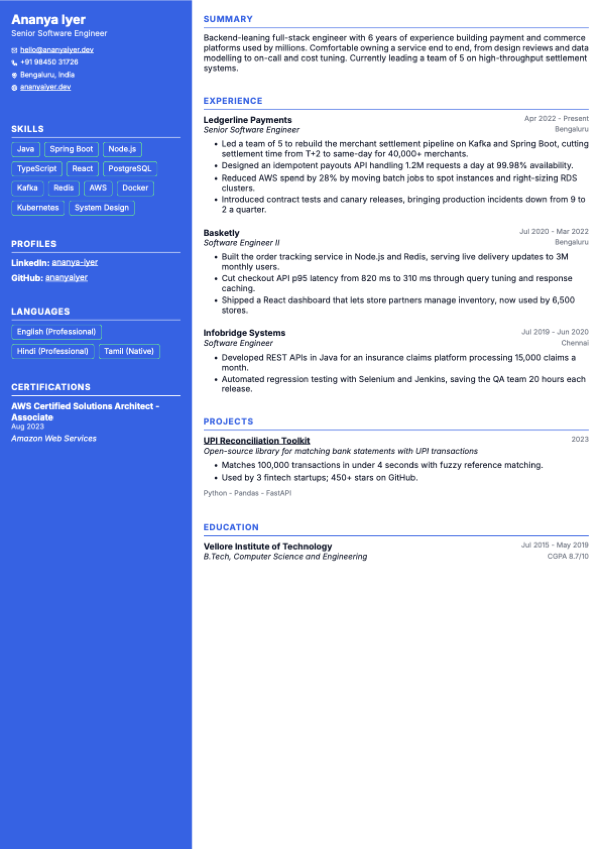
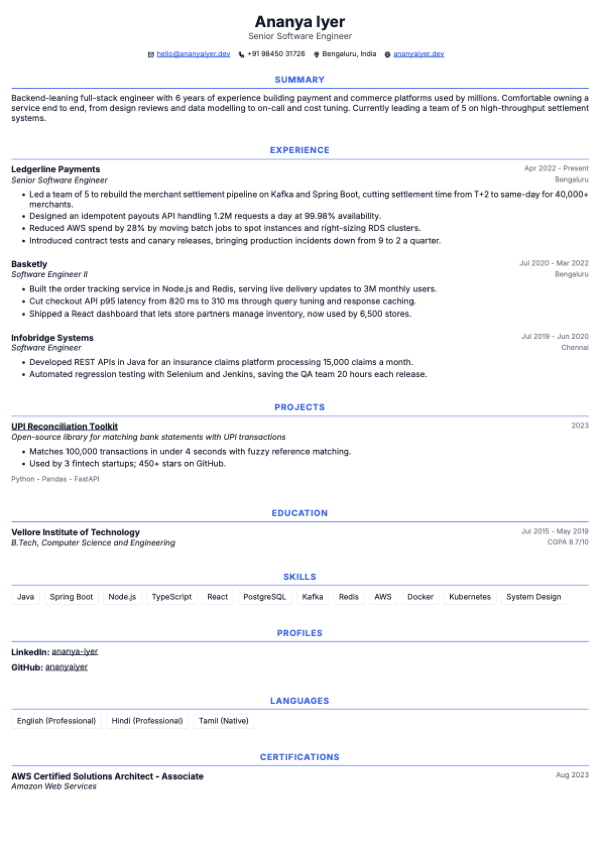
This is what the study recorded for Aurora, our single-column template: the first item pdf.js returned, then the section headings in the order it returned them.
"aurora": {
  "firstLine": "Ananya Iyer",
  "readingOrder": ["SUMMARY", "EXPERIENCE", "PROJECTS", "EDUCATION",
                   "SKILLS", "PROFILES", "LANGUAGES", "CERTIFICATIONS"]
}
That is the order a person would read it in. A sidebar template changes it. Slate, with a left sidebar, came out with Skills, Profiles, Languages and Certifications first and the summary and experience after them. The two-column study shows Slate’s output and the other two sidebar templates, one of which, with its sidebar on the right, read in the same order as the single-column ones. It is the risk with any sidebar design, in Canva or anywhere else.
What does that do at a portal? Many company career pages, including ones built on systems like Workday, offer to fill in your application from the resume you upload, and job boards such as Naukri read an uploaded resume to fill parts of a profile. If the parser takes text in the wrong order, a field can end up with the wrong text, or empty. I have not tested those parsers, so read that as the risk and not a measurement.
pdf.js text extraction approximates a parser. It is not any vendor’s ATS, and different systems read the same file differently. That is exactly why the safe choice is the layout that reads the same way in all of them.
The two-minute test before you upload
You do not need a tool to see roughly what a parser sees.
- Download the resume from Canva as a PDF, with Flatten PDF off.
- Open the PDF, press Ctrl+A (Cmd+A on Mac), copy, and paste into Notepad or any plain-text editor.
- Read it top to bottom. Is your name near the top? Does each job sit next to its own dates and bullets? Do your skills appear as words?
- If anything is missing or shuffled, a parser will see the same mess.
- Then upload the PDF to the free ATS resume checker. It pulls the text out in your browser and shows which checks fail.
That is why this is worth two minutes. I once timed my own applications at 8 minutes each, most of it re-typing things I had already typed. When a portal’s parser cannot read your file, its “autofill from resume” can come back blank or wrong, and you are back to re-typing, on every application.
How to make a Canva resume ATS-friendly, if you keep it
If you love the design and want to keep it, these changes fix most of the damage:
- Start from a single-column template. If the one you like has a sidebar, delete the sidebar and move its content under the main column.
- Type contact details as plain text. Write “Phone:” and “Email:” as words. Delete the icons.
- Turn skill bars into a list. “Python, SQL, Excel” beats a bar chart for every parser alive.
- Use ordinary headings. Experience, Education, Skills, Projects. Not “My journey”.
- Keep text off shapes and photos. Each word of your resume should sit on the blank page.
- Download as PDF with Flatten PDF off.
- Run the two-minute test again on the exported file, not on the Canva editor view.
If you are building on a phone, how to make a resume on your phone covers the apps that export clean text.
What Canva costs for a resume
The plain version, checked on 11 October 2026 from Canva’s own pages, next to ApplyCove’s builder:
| Canva | ApplyCove builder | |
|---|---|---|
| Free PDF download | Yes, the Free plan exports PDF, JPG and PNG | Yes, free account |
| Watermark on a free download | Only if the design uses premium elements | None |
| Word (.docx) export | DOCX is for Canva Docs. A design becomes a Doc with Transform into Doc, which needs Pro, Teams, Education or Nonprofits | Free, alongside PDF and plain text |
| ATS-friendly single-column templates | Not stated. Canva lists some templates titled ATS, but does not say which are single-column or parser-tested, and advises avoiding text boxes, tables and images | 14 of 17 templates are single-column. Tested by us with our own pdf.js check, not an independent audit |
| AI writing help | Magic Write. Free accounts get up to 20 uses of Standard or Premium AI tools a month, shared | AI bullets, AI summary and Tailor to job use Pro credits |
| Edit on a phone | Yes, iOS and Android apps | Yes, the editor works on a phone screen |
| Education score field (CGPA or percentage) | No such field is described. Canva is a free-form design canvas, so a grade goes in a text box | Yes, a Score field in the education section |
Sources, all read on 11 October 2026: Canva’s pricing, resume templates, watermark, download file types and AI access pages, and our own builder. Prices and free tiers change, so check them again before you pay.
The education row comes with a caveat: ApplyCove’s answer is from our own builder; we have not inspected the other editors. Canva’s page does not describe an education field, which is not the same as proving there is none.
The ApplyCove “ATS-friendly” claim is ours and it is a self-test. Canva’s silence on the question is Canva’s. I have not run Canva templates through any parser, so I make no claim either way about a specific one.
When Canva is the right call
Canva is the right tool for a portfolio, for a design or marketing role where the resume is itself the sample, and for a PDF you hand to a person: a recruiter you messaged, a referral, a hiring manager at a campus event. A human reads a good design faster than a plain one.
My view: Naukri’s paid visibility boosters, FastForward and Resume Highlighter, are rarely worth it for the apply step, and a design-led resume built to look better has the same limit. A recruiter’s search matches words, not layouts.
Or skip the fight
If the aim is a resume that parses and not a resume that wins design awards, a builder that marks which templates are single-column takes the guesswork out. The ApplyCove resume builder has 17 templates, free to use, and exports PDF, Word and plain text without a watermark. Fourteen are single-column. Three (Vertex, Slate and Harbor) are labelled “Two-column” and not marked ATS-safe instead of being hidden. The label follows the layout, and our own pdf.js self-test is what backs the ATS-safe claim for the 14 single-column templates. The details of how we tested are in the two-column resume study. The ATS-friendly resume guide for India covers the words that go inside. To see Canva next to seven other builders, free resume builders compared lays out what each one charges at the download button.